
Configuring FortiClient On Your New MacBook
FortiClient
After the successful enrollment on your computer with our Management System, FortiClient will automatically install however you need to give it some additional permissions
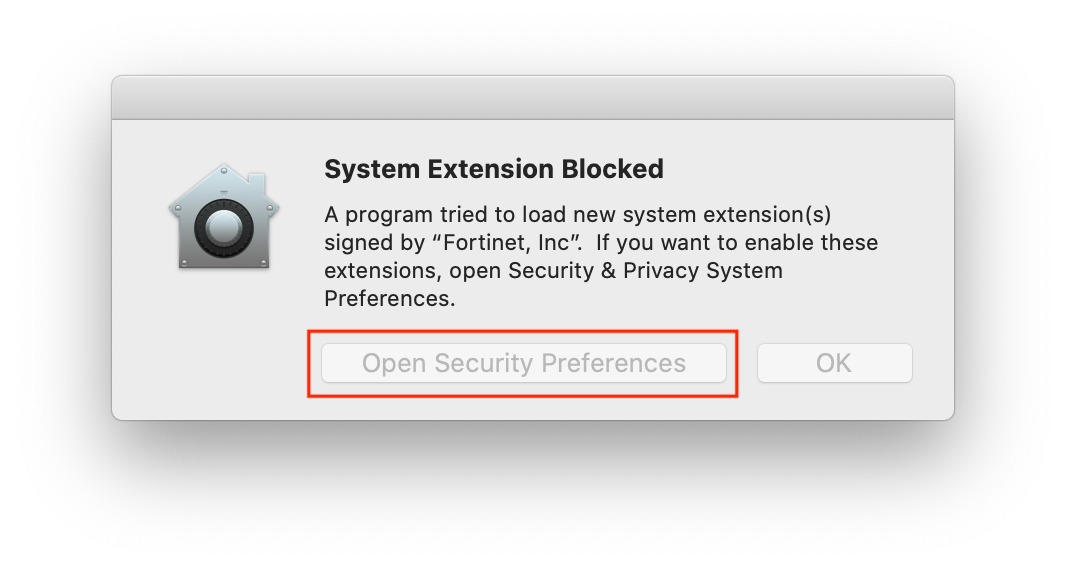
- When you see System Extension Block screen click on Open Security Preferences
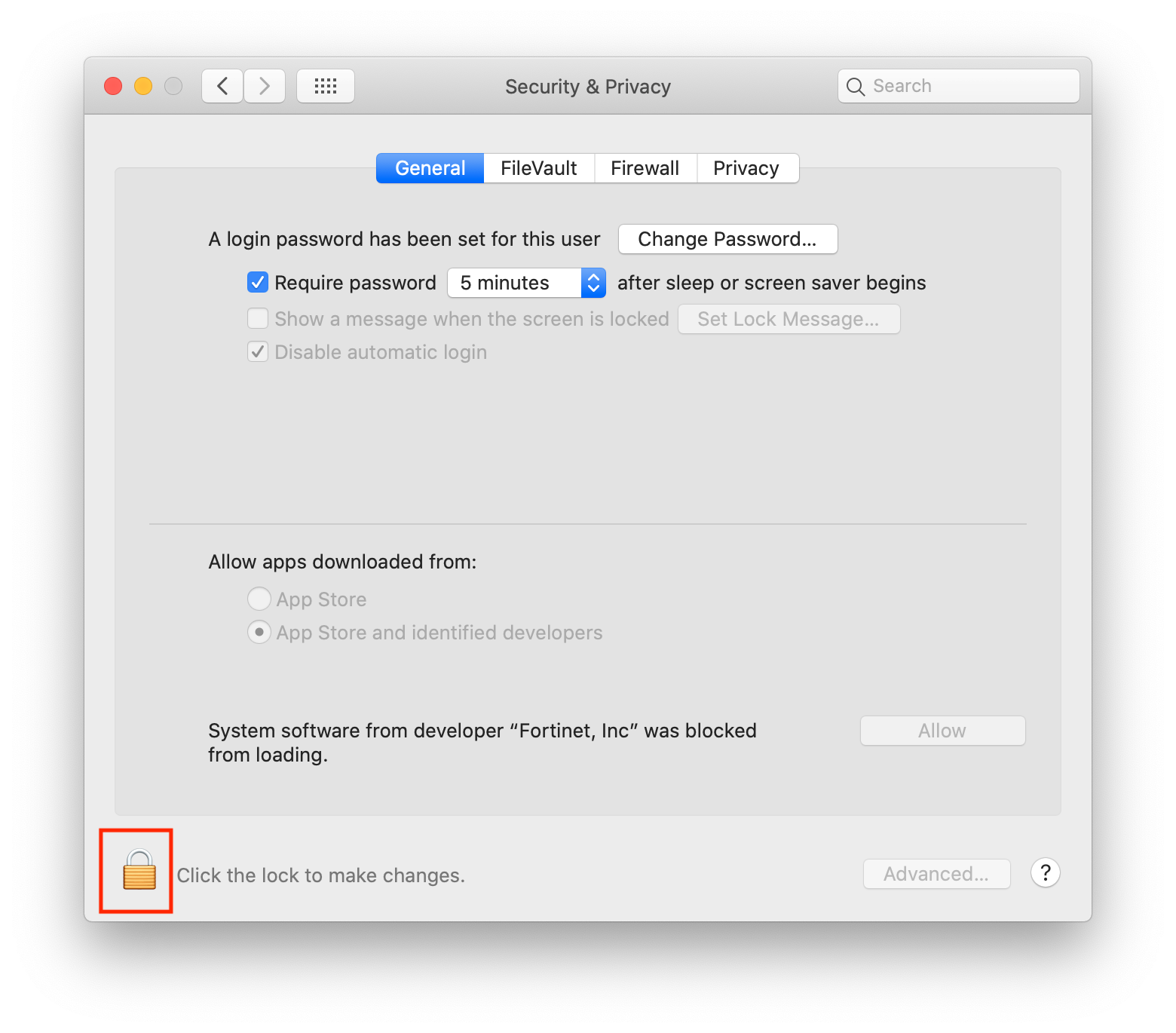
- Click on the Lock in the bottom-left corner of the windows
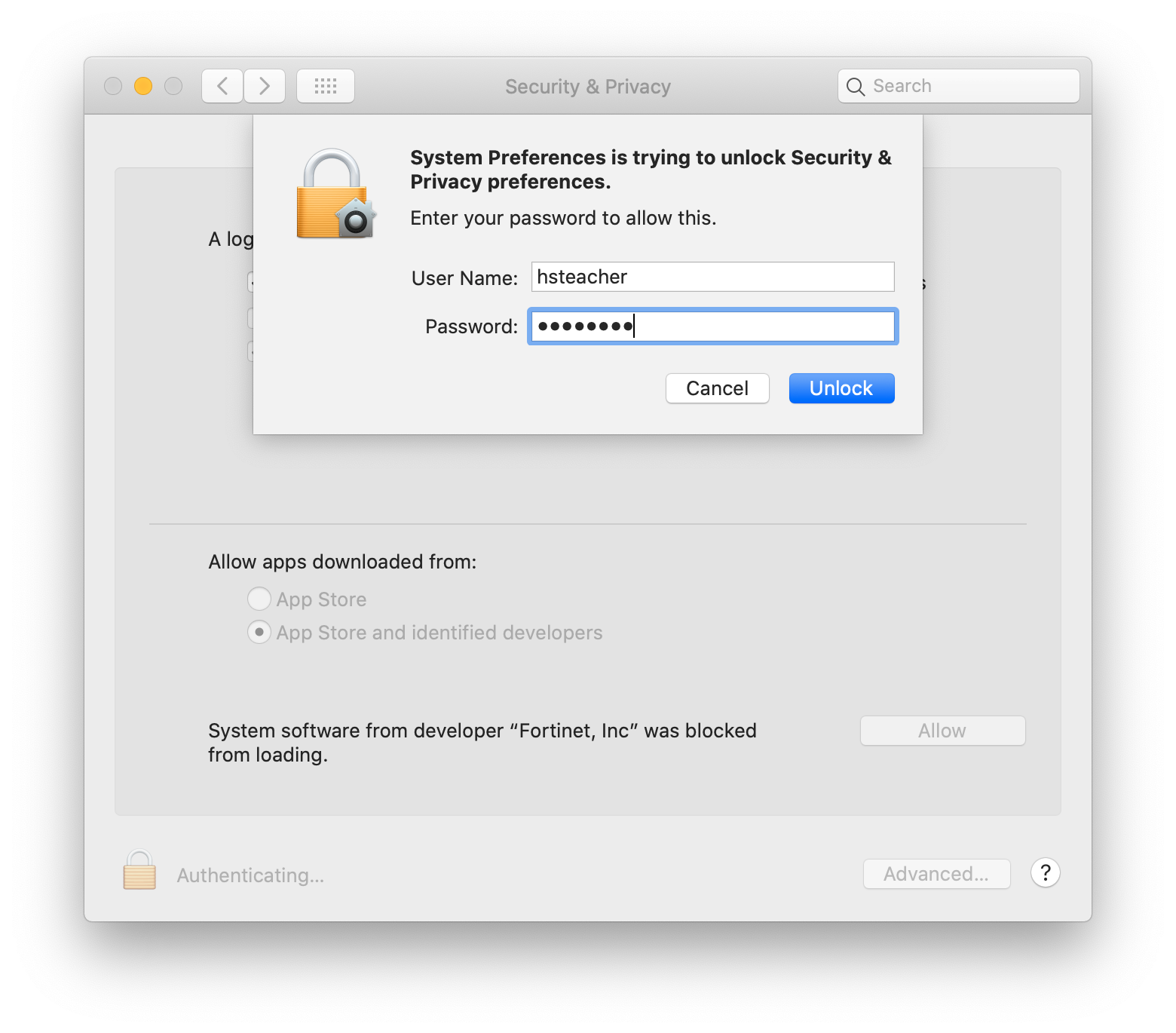
- Enter your computer username and password
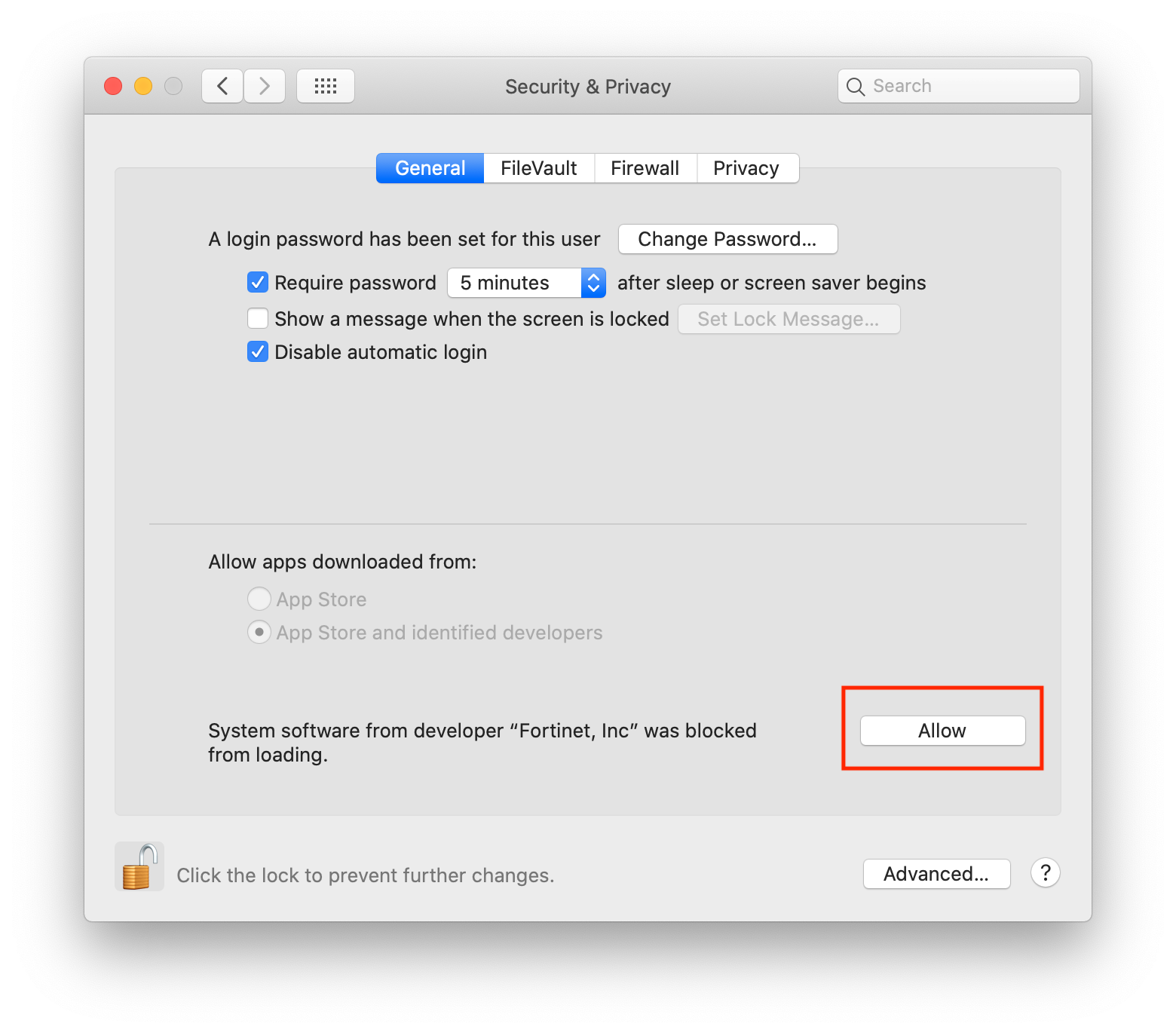
- Click on Allow
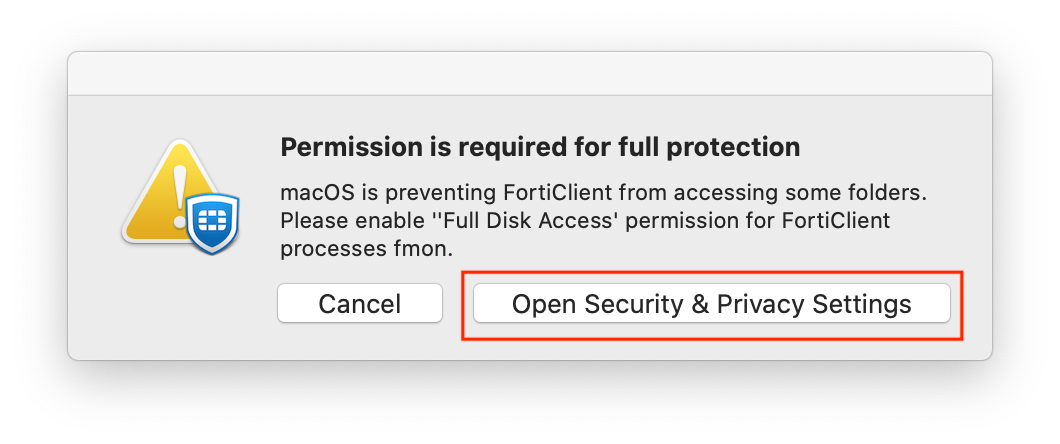
- Click on Open Security & Privacy Settings
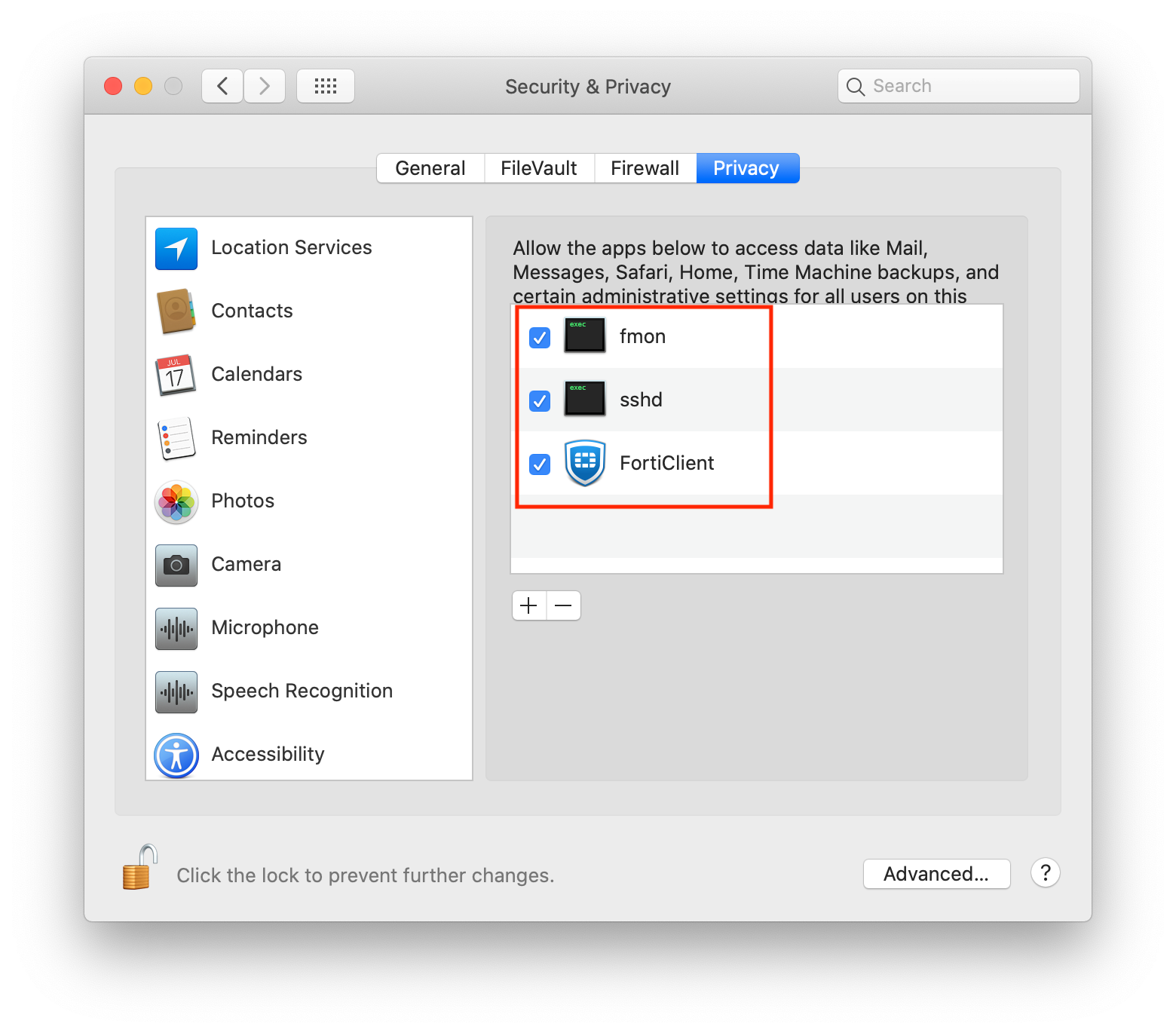
- Click All Available Check Boxes
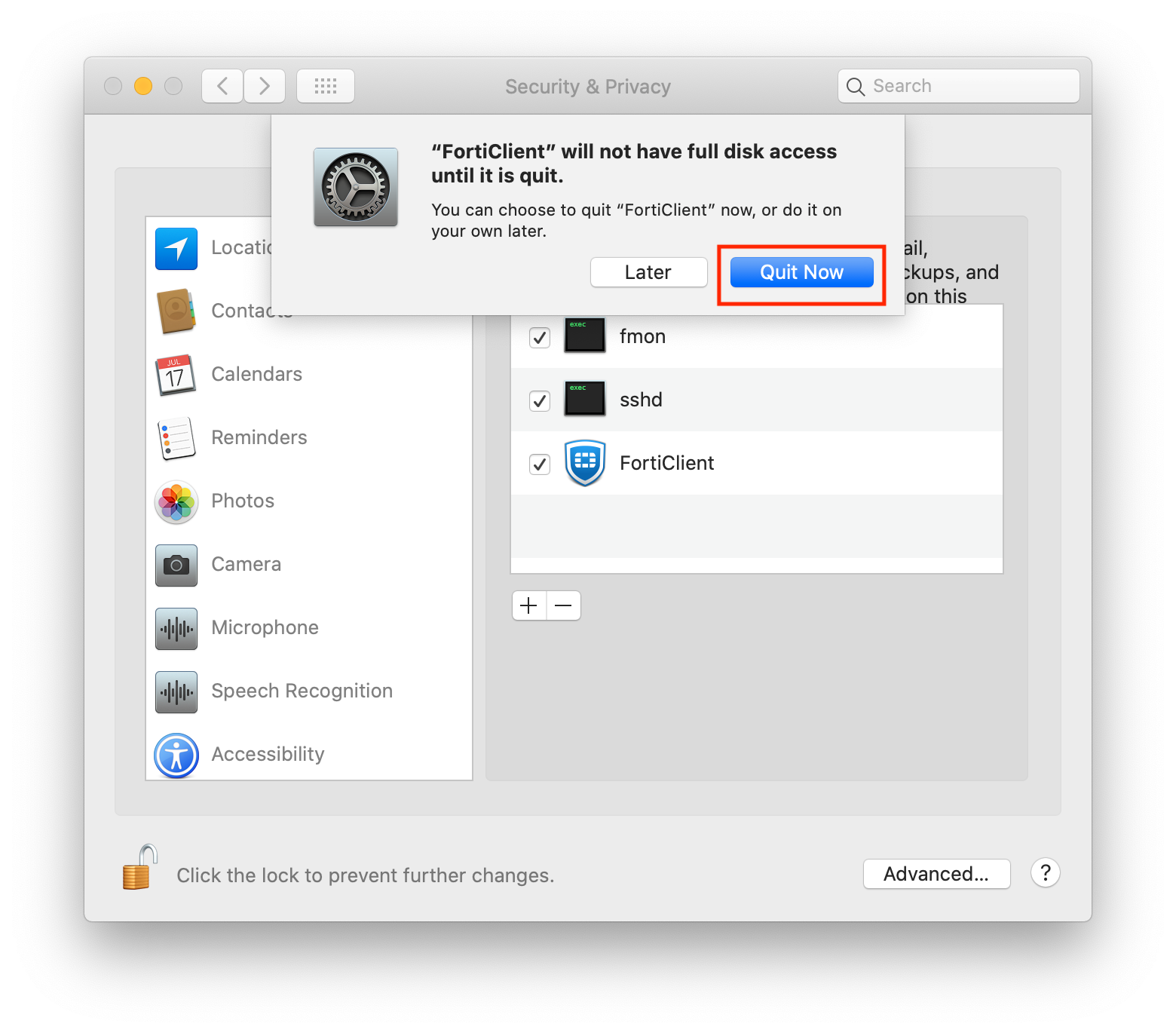
If you see this screen, click Quit Now
Comments
0 comments
Please sign in to leave a comment.