
Install ActivInspire and ActivDriver On Your New Computer
ActivInspire
Once the installer completes, it will restart your computer. Please close and save any open documents before running this install
- Click on Finder

- Click on Applications on the left window pane
- Double-click on Self Service
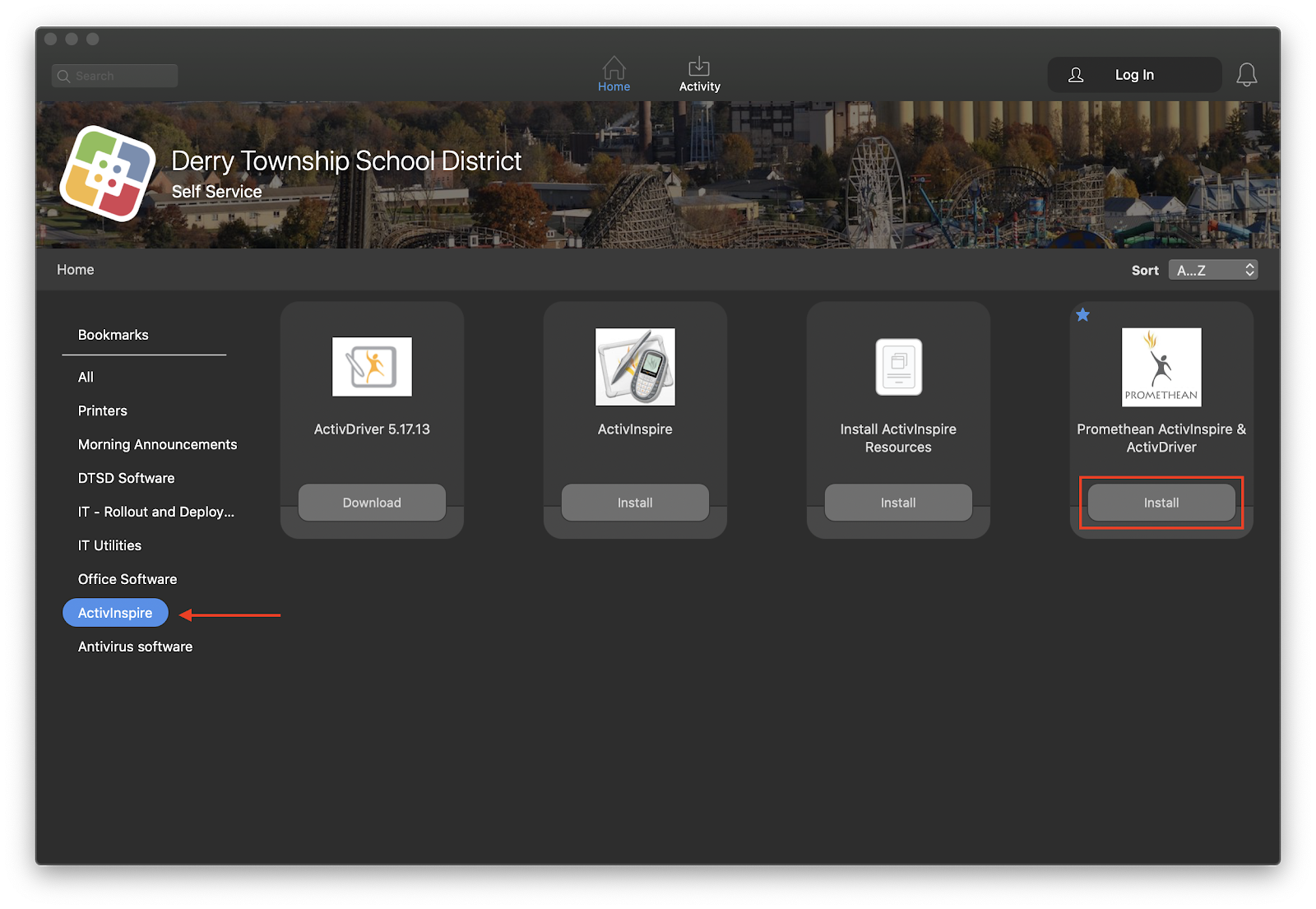
- Click on ActivInspire on the left window pane, then click on Install under Promethean ActivInspire & ActivDriver
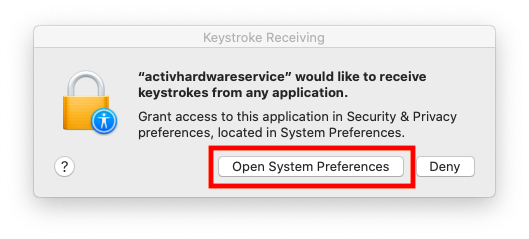
- During the installation you will be prompted with the following message, click on Open System Preferences
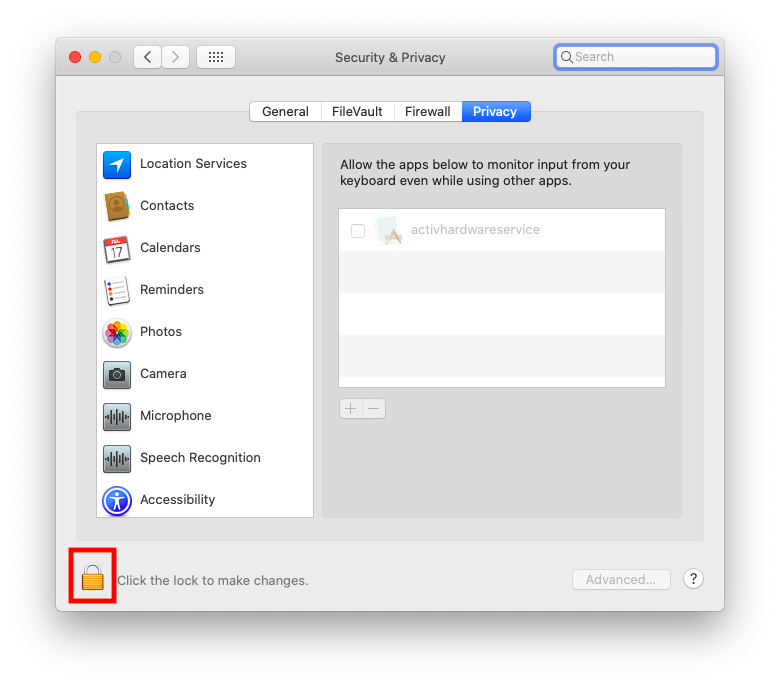
- Click on the Lock on the bottom-left-hand corner of the window
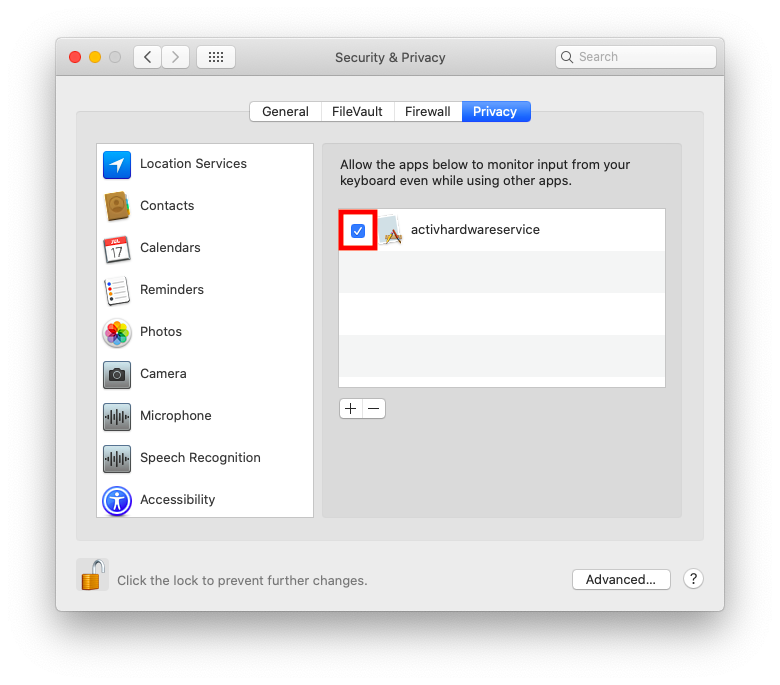
- Enter your computer password, then click on Unlock

- Click the Checkbox next to activhardwareservice
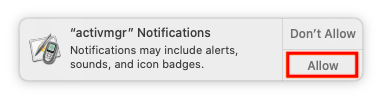
- During the installation you will also see a prompt in the upper right-hand-corner of your screen, please click Allow when prompted
Comments
0 comments
Please sign in to leave a comment.