
Turn on extended desktop mode
- Make sure that your external display is turned on and connected to your Mac.
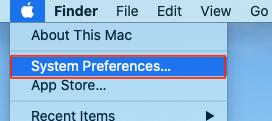
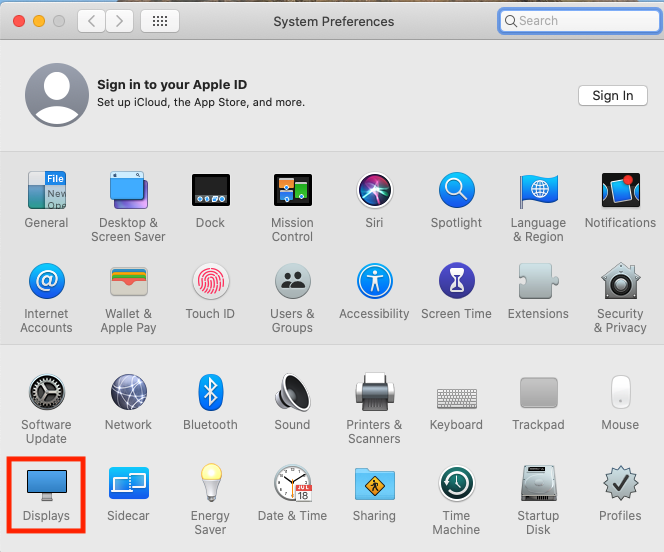
- Choose Apple menu > System Preferences, then click Displays.
- Click the Arrangement tab.
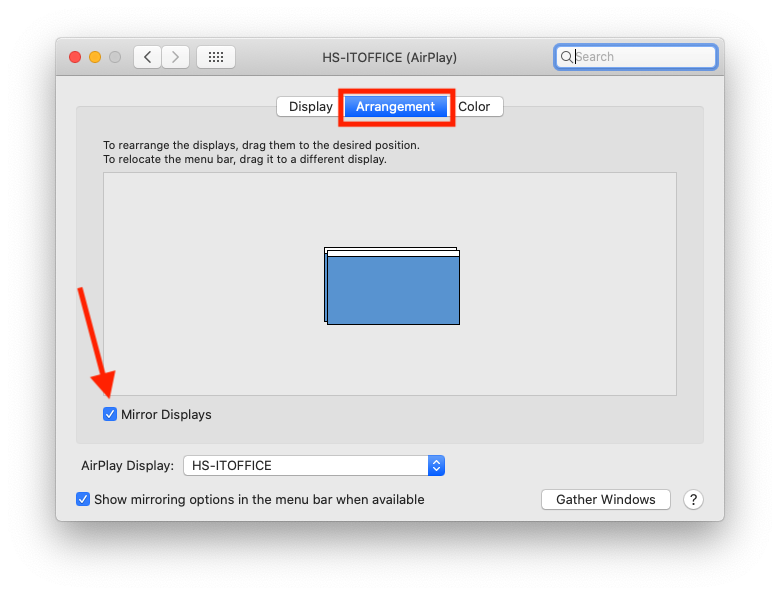
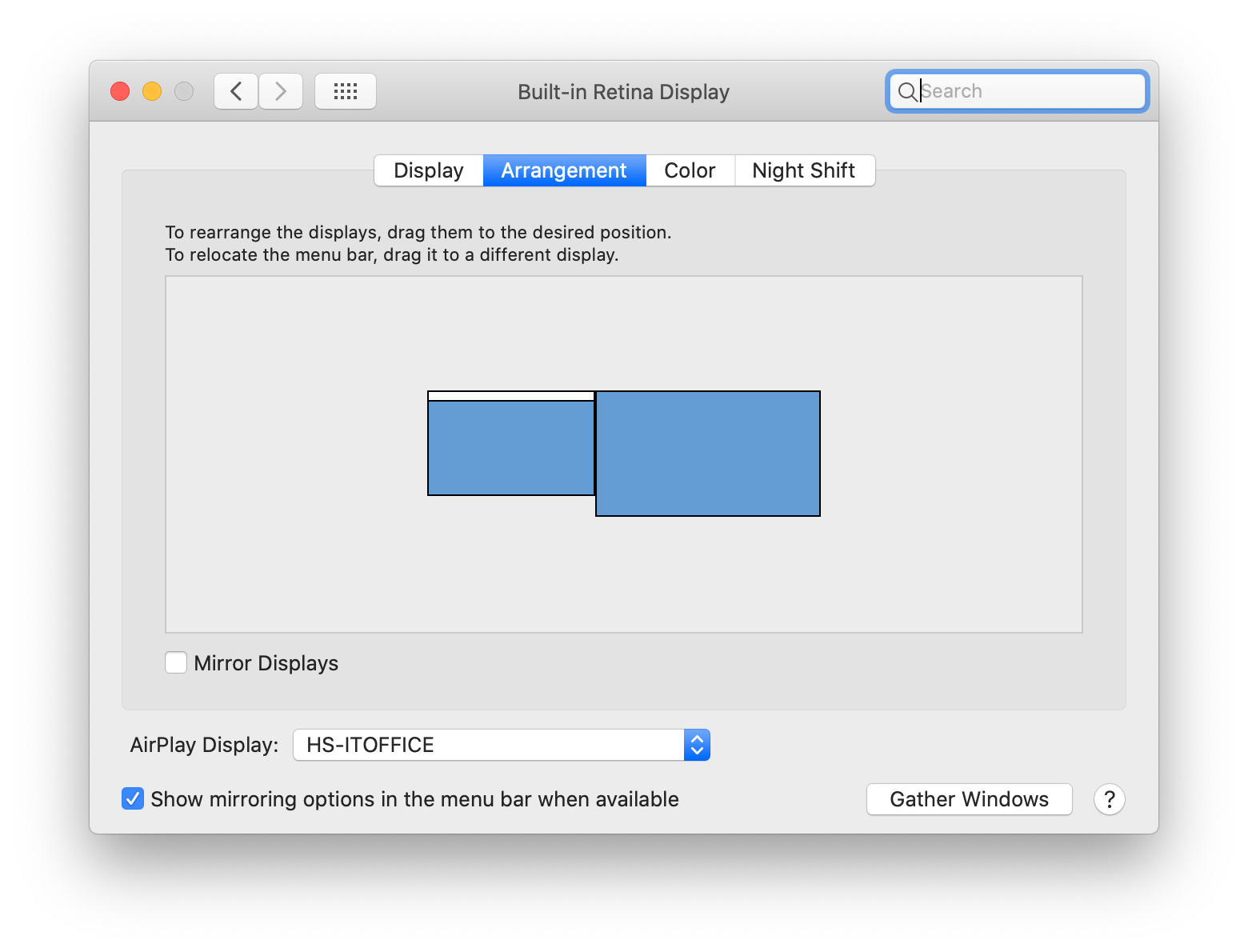
- Make sure that the Mirror Displays checkbox isn’t selected.
Comments
0 comments
Please sign in to leave a comment.