
Zoom is a cloud-based meeting platform that provides video, audio, and screen sharing options across multiple platforms, including mobile. You can join any Zoom meeting by clicking the meeting URL, or by entering the meeting ID into the Zoom Web Portal, the desktop app, or mobile app
Initial Setup
- You will receive an email invitation to join our Zoom account. You will need to ‘Approve the Request’ using the button in the email
- A web page will open prompting you to “switch to a new Zoom account”. In order to proceed, you must select “I acknowledge and switch”
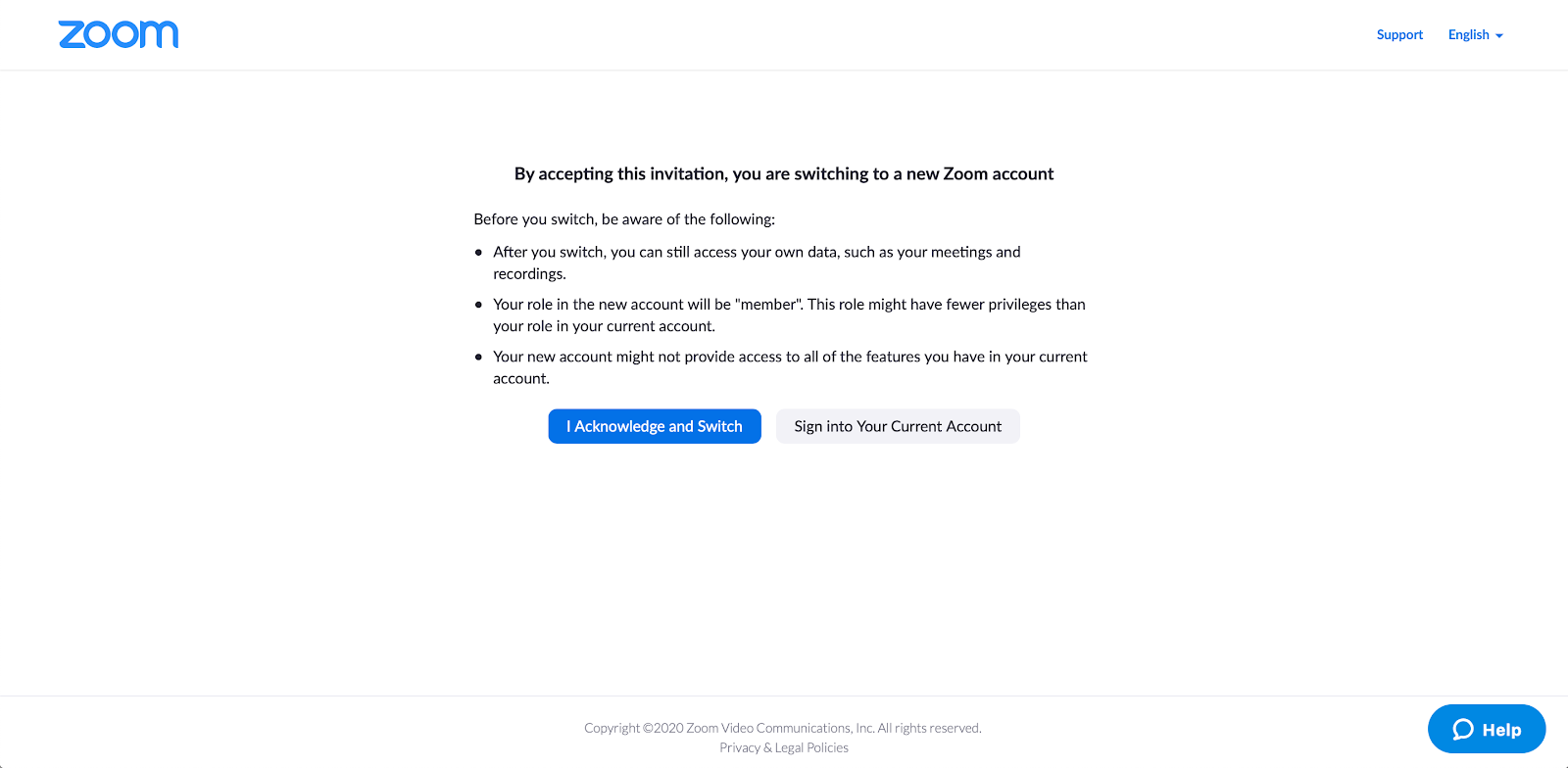
- After you acknowledge and switch, you will be prompted to sign in to your account. Click the blue-button that says “Sign into Profile Page”
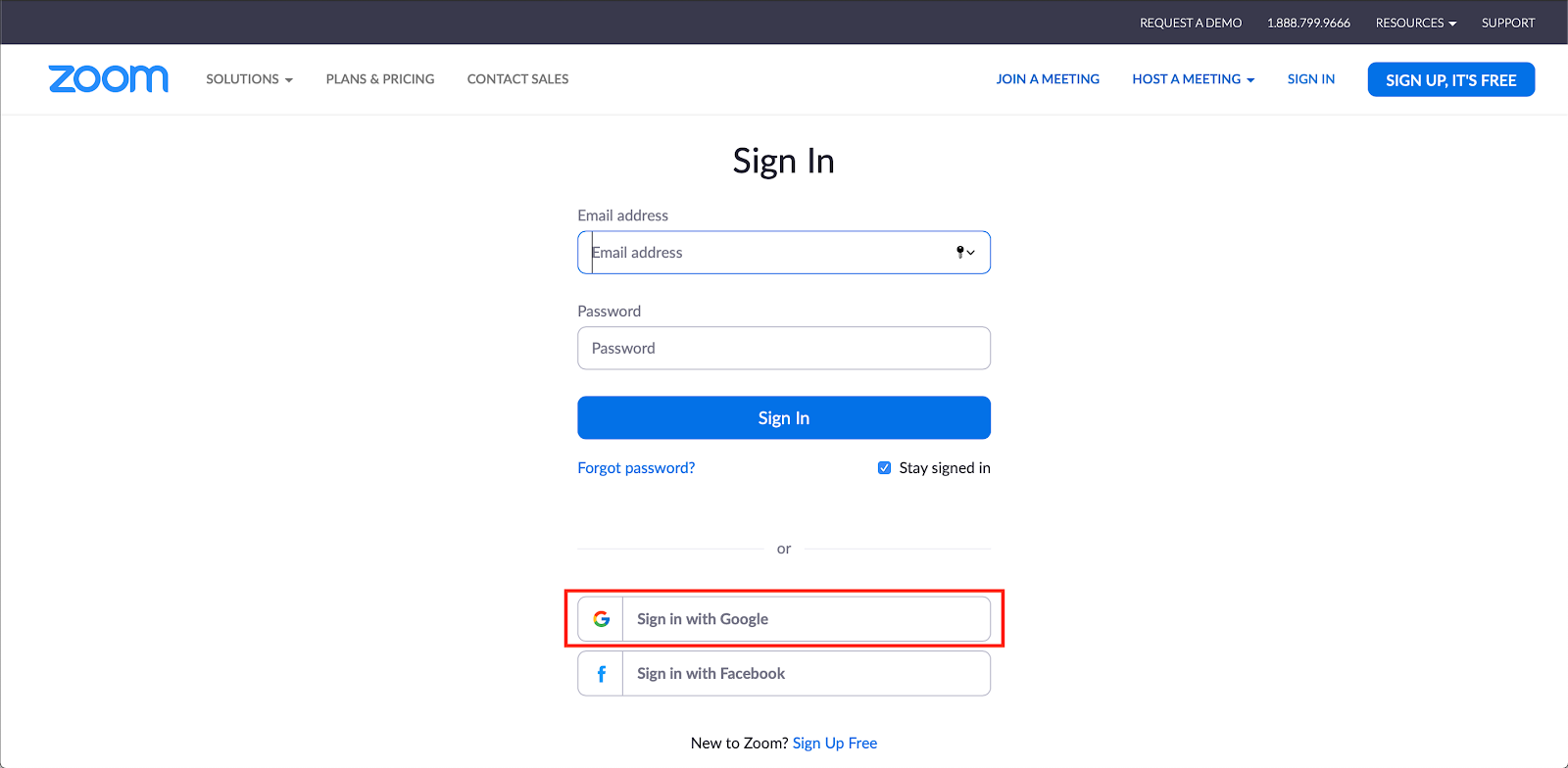
- This will open into a sign-in page. You will need to sign in with Google.
- You are now logged in and create/attend Zoom meetings.
Comments
0 comments
Article is closed for comments.